

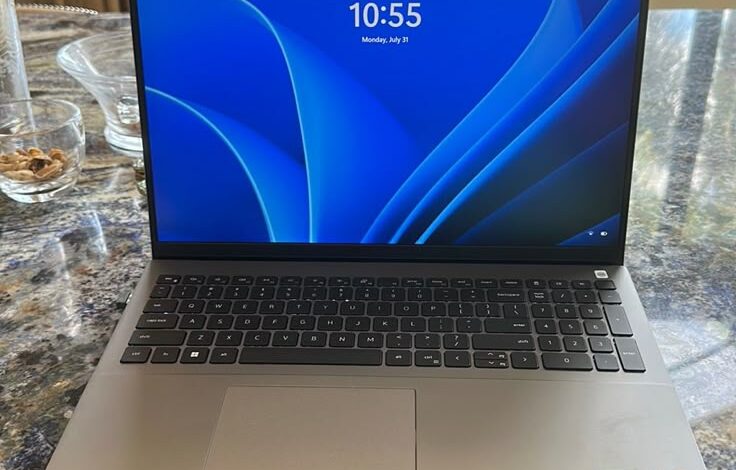
Buying a new laptop used to mean spending a fortune if you wanted something fast and reliable. But as we move through 2025, that is no longer the case. The market for affordable laptops has never been better. You can now find high-quality machines with powerful processors, fast storage, and long battery life—all without completely emptying your wallet. The word “budget” in 2025 no longer means slow or cheap; it means smart and efficient. Whether you are a student, a home user who mainly browses the web, or a professional who needs a simple work machine, there is a budget laptop for you.
For the purpose of this detailed review, we will define a “budget laptop” as any new device that costs less than $700. This price point is the sweet spot where you get away from the slowest entry-level computers and start getting enough power to truly enjoy your computing experience for many years. We have looked closely at the latest offerings from major companies to give you an honest review of the best models available. We will also give you a simple guide on what all those confusing technical terms actually mean so you can shop with confidence and get the most value for your hard-earned money. Choosing the right budget laptop is all about balancing the price with the parts that matter most for your daily tasks.
The Buyer’s Guide: What to Look for in a Budget Laptop in 2025
Before you look at any specific laptop model, you need to understand the four key parts of the computer. These parts determine how fast and how smoothly the laptop will work, and knowing the minimum acceptable specifications for 2025 will save you from buying a frustrating machine. Do not be fooled by big numbers; focus on the right combination of these four main components.
1. Processor (CPU)
The Central Processing Unit, or CPU, is the brain of the laptop. For a budget computer in 2025, the processor is the most important component to get right. You should aim for one of these families of processors: the Intel Core i3/i5 (12th Generation or newer), the AMD Ryzen 5 (5000 Series or newer), or the highly efficient Intel Core Ultra 3/5 chips. These processors have enough cores (the working parts) and power to handle modern web browsing, video streaming, and office applications without slowing down. You should avoid older processors or the very lowest-tier chips like the Intel Celeron or some older Pentium models, as they will struggle with multitasking. If you see a laptop with an Intel Core Ultra or AMD Ryzen AI processor, these are especially good because they have special hardware for handling new artificial intelligence features, which makes them more future-proof.
2. Memory (RAM)
The RAM, or Random Access Memory, is the computer’s short-term memory. It is what allows you to run multiple programs or keep many browser tabs open at once. In 2025, 8GB of RAM should be considered the bare minimum for any laptop you plan to use daily. While older budget computers often came with 4GB, that amount is simply not enough to run Windows 11 smoothly alongside a few Chrome tabs and a video call. If you can find a budget laptop with 16GB of RAM on sale, that is the sweet spot. A laptop with 16GB will feel much faster and last longer before you need to replace it.
3. Storage (SSD)
Storage is where your files, programs, and the computer’s operating system are kept. In the budget space, you must make sure the laptop comes with an SSD (Solid State Drive). Do not buy a laptop that uses an older hard disk drive (HDD). The difference in speed between an SSD and an HDD is huge. An SSD will let your laptop start up in seconds, and applications will open instantly. For capacity, 256GB SSD is the minimum acceptable size. This gives you enough room for the operating system and many files. If you store many large photos or videos, aim for 512GB, but 256GB is fine for most students and basic users. The speed of the SSD is vital for a good user experience.
4. Screen and Battery Life
When looking at the screen, you should always look for Full HD resolution (1920 x 1080). Anything less will make the screen look blurry and crowded. Many budget screens are not very bright or colorful, but Full HD is essential for a good viewing experience. Battery life is also a key factor, especially for students. You should aim for a laptop that offers at least 8 hours of real-world battery life. This ensures you can work through a full school day or a long meeting without needing to carry a power cord everywhere you go.
The Top 5 Best Budget Laptops of 2025
Based on performance, price, and current reviews, these five laptops represent the best value in the budget category in 2025. They offer the best combination of the essential specifications mentioned above while remaining under the $700 price point, especially during sales periods like the Back-to-School season.
1. The Acer Aspire 3 (The Best Overall Value Windows Laptop)
The Acer Aspire 3 is consistently rated as the best all-around Windows laptop for buyers who want maximum value for their money. Its biggest strength is offering great features at a truly low price, often starting well under $500. This laptop is perfect for the everyday user who needs a dependable machine for web browsing, emails, document creation, and video streaming. It typically features an efficient AMD Ryzen 5 or Intel Core i3 processor which provides snappy performance for basic tasks. The screen is usually a large 15.6 inches with Full HD resolution, which is great for viewing media or working on multiple documents at once. The Aspire 3 is a traditional clamshell laptop, meaning it does not fold into a tablet, which helps keep the cost low while maximizing component power. Its downside is that the build quality is mostly plastic, so it does not feel as premium or durable as more expensive machines, and the screen colors are often muted. However, for sheer power-per-dollar, the Acer Aspire 3 is unbeatable and is a dependable workhorse for home or school use.
2. The HP Chromebook Plus 15.6-inch (The Best All-Round Chromebook)
If almost all of your daily work takes place inside a web browser—using Google Docs, Gmail, YouTube, or video call apps—then a Chromebook Plus is an excellent choice, and the HP 15.6-inch model stands out in 2025. Chromebooks run on Google’s ChromeOS, which is much simpler and faster than Windows, as it does not need much power. The “Chromebook Plus” label means it meets minimum requirements: Intel Core i3 or better, 8GB of RAM, and 128GB of fast storage. These specs ensure great performance for cloud-based tasks. The HP model is highly praised for its large, bright 15.6-inch Full HD screen and surprisingly premium build quality, despite its affordable price. Its main advantage is its snappy performance and long battery life because ChromeOS is so lightweight. The biggest drawback is that it cannot run full Windows programs like Photoshop or specific engineering software, making it unsuitable for specialized work, but perfect for the average student or casual user.
3. The Lenovo IdeaPad Slim 3 (The Best for Portability and Battery Life)
The Lenovo IdeaPad Slim 3 series is highly recommended for buyers who need a thin, light laptop that can travel easily, without the high cost of an Ultrabook. This laptop often comes with a highly efficient processor like the Qualcomm Snapdragon X or a low-power Intel chip, giving it one of the longest battery lives in the budget category, often testing for over 10 hours in real-world use. This makes it an ideal machine for people who work in cafes, move between classes, or travel frequently. Despite its slim profile, it includes essential ports like USB-A and USB-C. The Slim 3 usually has a comfortable, well-known Lenovo keyboard, which is great for people who spend a lot of time typing. However, because it is so thin and focused on battery life, its performance is focused more on efficiency than raw speed, and its screen is often one of the least bright options available. This means it is best used indoors and is perfect for writers, travelers, and students who value all-day battery power above all else.
4. The Acer Chromebook Spin 312 (The Best Ultra-Portable 2-in-1 for Students)
The Acer Chromebook Spin 312 is a perfect budget option for younger students or those who prioritize a small size and versatility. It is a 2-in-1 convertible, meaning the screen folds back 360 degrees to turn the laptop into a thick tablet. This functionality is great for taking handwritten notes, drawing, or watching videos without a keyboard getting in the way. Its small 12-inch touchscreen display makes it very easy to carry in a backpack, and its durable plastic build is designed to handle the bumps and drops that often happen in a school setting. Since it runs ChromeOS, its performance is quick for school-related applications. However, this is one of the most basic models, often coming with just 4GB of RAM and a smaller storage drive. This means it is great for one simple task at a time but will struggle significantly with heavy multitasking, photo editing, or running many different apps simultaneously. It is the best choice for a very tight budget where small size and flexibility are key.
5. The Apple MacBook Air M1 (The Best High-End Value on Sale)
While the MacBook Air is not a traditional “budget” laptop, the M1 version, released a few years ago, can now frequently be found on sale for under $700, especially during major shopping events in 2025. When this happens, it becomes one of the best value deals possible. The M1 chip still offers class-leading performance and battery life that easily beats almost any brand-new Windows laptop in the budget category. It is incredibly thin, light, and durable with a high-quality aluminum build. If you can find the M1 model for the right price, you get a premium experience—an amazing keyboard, a beautiful screen, and a smooth operating system—for a budget cost. The cons are that it has very limited ports (just two USB-C ports) and a slightly older design than the newer M3 and M4 models. Also, if you need to run specialized Windows-only software, the Mac operating system will not work for you. But for general use, creative work, and a laptop that will last for many years, the M1 MacBook Air at a sale price is unmatched in quality and performance.
Budget Laptop Pros and Cons: A General Summary
While specific features vary by model, there are general benefits and drawbacks to buying a laptop in the under-$700 category that every buyer should understand.
General Advantages (Pros)
The biggest advantage is the incredible cost-to-performance ratio. Today’s budget chips, like the newer Intel Core i3 or AMD Ryzen 5, are powerful enough to handle tasks that required a much more expensive laptop just a few years ago. You can now get fast SSD storage and 8GB of RAM as standard, ensuring a smooth and responsive experience for daily tasks. Furthermore, many budget models, especially Chromebooks, offer fantastic battery life because their efficient components do not use much power. The simpler components in these computers often mean they generate less heat and have fewer complex parts that can break, which is a significant practical advantage for any user.
General Disadvantages (Cons)
The main sacrifice you make when choosing a budget laptop is Build and Screen Quality. To keep the price low, manufacturers often use plastic shells instead of metal, which can feel less durable. More importantly, budget laptops often have dim or dull displays. They might have the right Full HD resolution, but the colors will not look vibrant and the screen may be too dark to use comfortably outside or near a bright window. Another drawback is Future-Proofing. While 8GB of RAM and a Core i3 chip are enough for today, this minimum specification will not handle major software updates or new applications very well two or three years from now, meaning you may need to replace the laptop sooner than a more expensive one. Finally, many budget laptops include only 256GB of storage, which can quickly fill up if you download many large files or games, requiring you to constantly manage your storage space or rely on cloud storage.
Conclusion: Making the Final Purchase Decision
Choosing the best budget laptop in 2025 is a smart move because the technology has advanced so much that you no longer have to compromise on speed for the right price. The final decision rests on one question: What is your most important task?
If your main priority is power and flexibility for everyday work, the Acer Aspire 3 is the best choice, offering a true Windows experience at the lowest cost. If you are a student or home user who mainly works online, the HP Chromebook Plus is highly recommended for its speed and simple, hassle-free operating system. If battery life and premium feel are the most important features, searching for a great sale price on the M1 MacBook Air will give you the most powerful and long-lasting machine for under $700.
Remember the golden rule of buying a budget laptop: prioritize the CPU, RAM (at least 8GB), and SSD storage. Never compromise on these core components just to save a few extra dollars, as a slightly slower processor or too little RAM will lead to frustration every single time you use the computer. By following this honest review and simple guide, you can confidently purchase a fantastic budget laptop in 2025 that will meet all of your needs for years to come without requiring you to spend more than is truly necessary.


